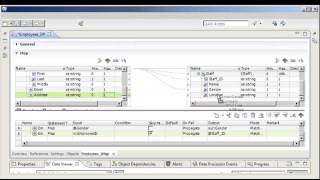
Use the Data Transformation XMap to transform XML data in one hierarchical format to XML data in a different hierarchical format.
Stateful computing – Stateful processing using Spark in Big Data Management
Introduction to Azure Databricks - Part 1
PowerExchange for Snowflake for DEI
Data Transformation: Getting Started with XMap
Introduction to Filename Port in Complex File
How to Enable Verbose Mode for Blaze Logs
Introduction to Databricks Transient and Ephemeral Cluster
How to Configure Sqoop Enabled JDBC Connection
Introduction to Confluent Kafka in DEI 10.4
Introduction to Mass Ingestion in Data Engineering Integration
Informatica Big Data Management integration with Cloudera Altus
How to Debug when a Mapping is Run in Spark Engine
How to Honor Owner Name with Sqoop Mappings
How to Export the CCO in Informatica DEI (BDM)
How to Use Apache Iceberg Format Hive Tables in Data Engineering Integration
How to use PowerCenter to Read and Write to Hive Tables using ODBC Connector
How to Connect to Phoenix HBase Database in Data Engineering Integration
ML-Based Parsing with Informatica Big Data Management and Intelligent Structure Discovery
Using a Cloud Data Lake on AWS with Informatica Big Data Management 10.2.x
Web Log Processing
How to Enable Verbose Data Logging for Pushdown Mapping
Introduction to Azure Data Lake Storage Gen2 in DEI 10.4
How to troubleshoot Sqoop Connectivity in BDM
Installing Python for the Python Transformation on Hadoop in Data Engineering Integration
Incremental Deployment
How to Enable High Precision for Pushdown Mapping
How to Install Secure Agent on Linux OS
Introduction to EMR Transient Cluster in DEI
Introduction to Confluent Kafka with Schema Registry in DEI 10.4. 0
Introduction to Sqoop Boundary Queries
How to replicate Cluster's configuration using Cloudera management console
How to Register DEI CDI-PC Domain
How to Create Kudu Tables from Mappings in Informatica
How to Create JMS Connection in the Informatica Developer Tool to Import the Data Object
How to Create Cluster Task Logs
Overview: Blaze Log Collection
Introduction to Data Preview on Spark Engine
Configuring connectivity to Kerberos hadoop cluster from Developer Client
How to Enable Verbose Logging for Sqoop in Mapping
Introduction to Python Tx on Databricks
Introduction to Mass Ingestion Service (MIS) - Incremental Load
How to Run Mapping using Phoenix HBase Database in Data Engineering Integration
How to Install DEI CDI-PC on Linux OS
How to Use Spark-SQL Directly from the Cluster
How To: Set Up and Configure Spark Execution Engine
How to Upgrade Informatica DEI from 10.1.1 to 10.4 (Part 1)
Introduction to Data Engineering Streaming on Databricks (AzureEventhub)
How to Import Phoenix HBase Object in Data Engineering Integration
Howto Reuse existing PowerCenter applications for Big Data
Informatica Big Data AWS Demo – Big Data Management on Amazon AWS
Using a Cloud Data Lake on Azure with Informatica Big Data Management 10.2.x
Informatica BDM 10.2.1 on Azure - Part 2
Introduction to Amazon S3 FileName Port Feature in DEI 10.4
How to Integrate Informatica BDM and Azure DataBricks Delta
Introduction to Metadata Access Service
PC Reuse Demo: Howto Reuse existing PowerCenter applications for Big Data
Configuring a Databricks Cluster to Run Python Transformations in Data Engineering Integration
Informatica Big Data Edition: Complex File Parsing and Transformation on Hadoop
How to Run Mapping Audits in Spark
Introduction to JDBC V2 Connection on Databricks
How to Import Kafka Data Object and Topic with Same Pattern using Informatica
How to Enable SAML Authentication with Okta SSO for Web Applications
How to Configure Sqoop for Microsoft SQL Server Databases in DEI
Introduction to Dynamic Mapping
How to Test the JMS Connection Externally
How to Upgrade Informatica DEI from 10.1.1 to 10.4 (Part 2)
How to use the BDE Utility tool
Using Complex Data Types on the Spark Engine | Arrays
How to Use Wildcard Characters for Reading Data from Complex File
How to Create JMS Connection in the Informatica Developer Tool to Run the DES Mapping
How to Perform Sqoop Test Connection in DEI (BDM)
IICS Streaming Ingestion – Overview and Demo
Introduction to Spark History Server and how to keep it running
Changes to Python Transformation and Configuration Setup on Informatica BDM
How to execute hadoop commands from DIS NODE
How to Enable Kerberos Debug Tracing for the DIS
How to Upgrade to BDM 10.2.2
Introduction to JDBC V2 Connector in DEI 10.4
How to access Hadoop based objects from Analyst tool in BDM 10 1 1
How to Use Hive Target with the Ephemeral/Transient Cluster
How to configure Sqoop for Oracle Databases in DEI
Howto - Processing complex hierarchical data types using Spark in Big Data Management
Introduction to the Python Transformation in Data Engineering Integration
Informatica BDM 10.2.1 on Azure - Part 1
Kerberize hadoop and hive
1 step integration of Big Data Management with Hadoop Cluster
Introduction to Log Aggregation in DEI (BDM) 10.4
How to Assign the Services to a New License Key in Informatica BDM
Informatica Big Data Management v10.2 and SPARK
How to Create a Kudu Connection in Informatica
How to Configure and Use ihdfs and ibeeline
Introduction to Cluster Configuration Object (CCO)
Informatica BDM 10.2.1 on Azure - Part 3
What’s new in Informatica Big Data Management – 10.2.1 Spring 2018
Impersonation and OS Profile in BDM
How to Enable Verbose Class Output for the Spark Application
REST Operations Hub
How to Enable Verbose init Logging for Pushdown Mappings
Running the Python Transformation on an Azure Databricks Cluster in Data Engineering Integration-2
How to troubleshoot Native and ODBC connectivity in BDM
How to Collect LibsCollector on Core Files Created by Blaze
What's New in Big Data Management 10 2 2
How to Create the Amazon Kinesis Data Object in the Developer Tool
Deployment Automation with Big Data Management
How to Change the Blaze Log Location in BDM
Informatica Big Data Management V10.2 and MAPR
Using Complex Data Types on the Spark Engine | Structs
How to Create Spark Staging Directory in Data Engineering Integration
How to Create Databricks Cluster Configuration Object using Import from Archive File Option
How to Use Environment SQL in Hive Connection in Data Engineering Integration
How to Create Amazon Kinesis Connection
What’s new – Learn what’s new in Big Data Management 10.2
How to Enable Debug Logging for CCO Creation/Refresh in DEI (BDM)
Introduction to DEI on Docker
How to Enable Kerberos Debug Tracing for the MAS
How to Use Sqoop Externally (Outside Informatica)
Blaze Engine Directories
How to Start/Stop Blaze Grid Manager
Informatica BDM 10.2.1 on Azure - Part 4
How to do Hive test connection in Data Engineering Integration
How to Run a Preview Job in Advanced Mode
How to Synchronize Hive Objects from Developer Client
How to Get the Monitoring URL for the Spark Application Invoked from DEI
How to Create Metadata Access Service in Data Engineering Integration
How to Insert Relational Tables Data into HDFS using Mass Ingestion
How to Install Hadoop Binaries in DEI 10.5.3 Client using Integration Package Manager Utility
How to do an external test connection from Secure Agent Machine to HDFS
How to Flatten a Column using Normalizer Transformation in DEI 10.4.1.3
How to Run a Profile in Spark Mode in Data Engineering Integration
HOW TO: Run a scorecard in Blaze Mode using BDM 10.1.1
How to Connect to an SSL Enabled Hive Service from Data Engineering Integration
How to Redeploy the Serverless Runtime Environment
How to Connect to a Kerberos Enabled Cluster in Data Engineering Integration
Field Mapping in Hierarchy Builder
How to Test Hive Connectivity for Kerberos Enabled Cluster Externally from Server Machine
How to Create Mass Ingestion Service in Data Engineering Integration
How to Enable Debug Logging for Mappings Created using Mass Ingestion tool in Informatica DEI
How to Run an Individual Mapping with Different Tracing Levels in Data Engineering Integration
How to Get the Execution Plan for the Spark Mapping Running in Data Engineering Integration
How to Install Hadoop Binaries in DEI 10.5.3 Client Using Integration Package Manager Utility
How to Change Log Level for a Mapping Task Deployed in a Workflow in DEI
How to Download the Aggregated Logs for Spark Mapping in Data Engineering Integration
How to Change Log Level for Data Viewer and Collect the Data viewer logs in DEI
How to Install Hadoop Binaries along with Informatica DEI 10.5.3 Installation
How to Import a Hive Object using Operating System Profile
How to Create Databricks Cluster Configuration Object using Import from Cluster Option
How to Configure and Use iyarn in DEI
How to Test External Connectivity to Databricks Delta Databases using JDBC Drivers
How to Test External Connectivity to Databricks Delta Databases using JDBC Drivers from DIS Machine
How to synchronize hive objects from Analyst Tool
How to Run Scorecard in Spark Mode in DEI using Analyst Tool
How to Enable SSL DEBUG Mode in DIS for Troubleshooting SSL Issue
Integrating Analyst Service with Hadoop
How to Start, Stop and Delete the Advanced Cluster
How to Perform a Cleanup of infa_rpm.tar for Spark/Blaze jobs in DEI
How to Import Databricks Certificates in DEI
How to Install Hadoop Binaries Using Integration Package Manager
How to Mass Update the Mapping Engine to Spark/Blaze using infacmd Command
How to Use Databricks Job Cluster using Create Cluster Task
How to Validate KUDU Connectivity externally from Informatica
How to Perform Cleanup Operations for Jobs Running on the Databricks Engine in DEI
How to Create Hive Connection in DEI
How to Enable DEBUG SSL Mode in Spark Driver for Troubleshooting SSL Issue in DEI
How to Update Custom SPARK Properties at Mapping Level in DEI
How to Refresh Cluster Configuration Object (CCO) using infacmd Command
How to create HDFS Connection in DEI
How to Enable Verbose Class Loading for Spark Driver and Executor in DEI
How to Import and Export Mapping in DEI
How to Configure Proxy for JDBC Databricks Connection in DEI
Comparing Hive and HDFS Connections in DEI and IICS
How to Encrypt Domain Password and Use it in Command Task
How to Test the File Upload to DBFS Externally
Success
Link Copied to Clipboard