-
Manage your Success Plans and Engagements, gain key insights into your implementation journey, and collaborate with your CSMsSuccessAccelerate your Purchase to Value by engaging with Informatica for Customer SuccessAll your Engagements at one place
-
A collaborative platform to connect and grow with like-minded Informaticans across the globeCommunitiesConnect and collaborate with Informatica experts and championsHave a question? Start a Discussion and get immediate answers you are looking forCustomer-organized groups that meet online and in-person. Join today to network, share ideas, and get tips on how to get the most out of Informatica
-
Troubleshooting documents, product guides, how to videos, best practices, and moreKnowledge CenterOne-stop self-service portal for solutions, FAQs, Whitepapers, How Tos, Videos, and moreVideo channel for step-by-step instructions to use our products, best practices, troubleshooting tips, and much moreInformation library of the latest product documents
-
Rich resources to help you leverage full capabilities of our productsLearnRole-based training programs for the best ROIGet certified on Informatica products. Free, Foundation, or ProfessionalFree and unlimited modules based on your expertise level and journeySelf-guided, intuitive experience platform for outcome-focused product capabilities and use cases
-
Library of content to help you leverage the best of Informatica productsResourcesMost popular webinars on product architecture, best practices, and moreProduct Availability Matrix statements of Informatica productsMonthly support newsletterInformatica Support Guide and Statements, Quick Start Guides, and Cloud Product Description ScheduleEnd of Life statements of Informatica productsMonitor the status of your Informatica services across regions
- Success Portal
- Learning Path
- IDMC Assurance Service
- Cloud Integration Use Cases
Simplify the process of IDMC asset deployments (code promotions between the Organizations) with a robust set of features in Assurance Service, designed for efficiency and control. Take advantage of capabilities like:
- Pre-Deployment Backups: Safeguard your data integrity with built-in backups before deployments. This allows for easy rollback if needed, minimizing risk.
- Saved Configurations: Boost your efficiency by saving and reusing deployment settings for repetitive tasks. Simplify your workflows and save valuable time.
- Automated Checks and Validation: Assurance Service automates the deployment process, including post-deployment checks and validations. This ensures all assets perform as expected, eliminating manual errors.
- Code review before deployment: Ensure visibility, shared ownership, and improved code quality by reviewing the task changes before the deployment.
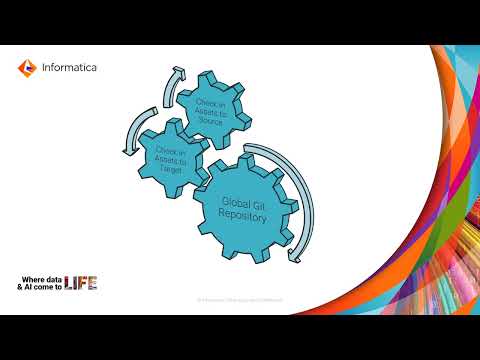
- Asset & Dependencies Check-In to Source Control: Ensure seamless check-in and deployment of assets to source control with significantly reduced user effort.
This comprehensive deployment framework facilitates error-free asset transitions, enhances organizational responsiveness, and mitigates deployment-related risks.
Applicable for: CDI, CDI Serverless, Advanced Data Integration (ADI), ADI Serverless, CAI

The IDMC Assurance Service streamlines task management! Schedule and automate your tasks in bulk, easily associating or disassociating them with just a few clicks. This powerful feature saves you time and effort, ensuring your data integration runs smoothly.
Applicable for: CDI

Meta Insights Activity Tracker offers complete visibility into who made changes and how those changes affect your data integration jobs.
Benefits:
- Detailed Change Tracking: Track all configuration updates across assets for the past 180 days.
- Enhanced Transparency: Identify who made the changes and their impact on job execution.
- Improved Operational Integrity: Ensure traceability and maintain a clear history of changes for better decision-making.
With the Meta Insights Activity Tracker, you gain complete control over your cloud data environment, fostering trust and efficient operations.
Applicable for: CDI, CAI, Platform Assets
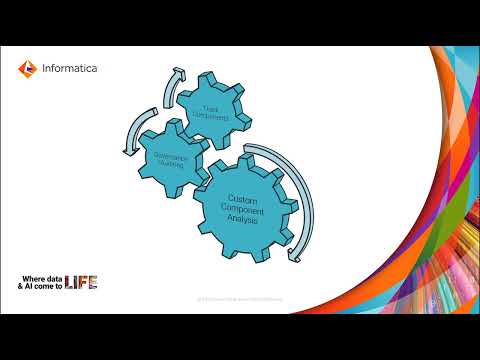
Enhance your CDI governance with the Assurance Service's custom code analysis feature. This functionality offers the following key benefits:
- Comprehensive Code Visibility: Gain complete insight into user-defined customizations across diverse asset types, including Taskflows, Mappings, and Projects. Identify embedded code components like Java transformations, Command Tasks, SQL Overrides, and pre/post SQL scripts.
- Proactive Risk Management: Proactively mitigate potential operational disruptions by identifying complexities and potential issues associated with custom code.
- Simplified Analysis Process: Leverage the intuitive Asset Management page to efficiently select specific assets and initiate analysis jobs.
- Detailed Reporting: Generate in-depth, downloadable reports for each analyzed asset, providing a clear and comprehensive view of all custom code elements for informed decision-making.
Applicable for: CDI
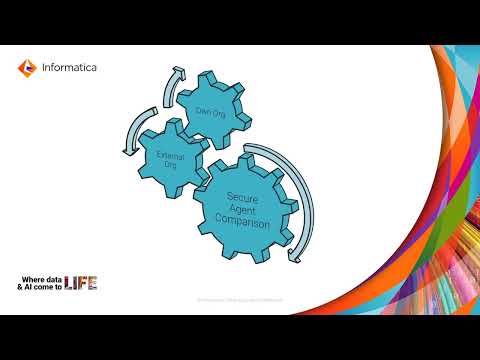
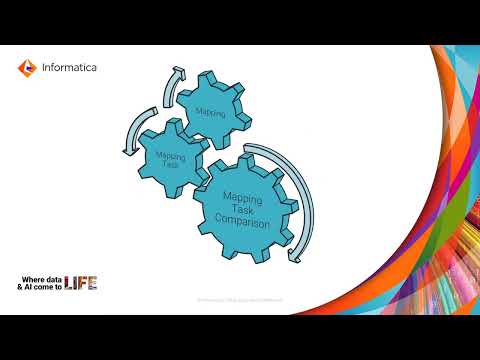
The Assurance Service provides powerful comparison features to enhance management and oversight across your environments:
- Secure Agent Comparison: Effortlessly compare properties of multiple secure agents. This functionality helps identify configuration differences across established environments, ensuring consistency and reducing potential errors.
- Mapping Task Comparison: Compare mapping tasks within or across organizations, pinpointing discrepancies and guaranteeing alignment for seamless data processing.
- Organization Comparison: Gain a comprehensive view of differences in assets between organizations like QA and Production. This proactive approach helps maintain consistency and prevent errors before they impact critical processes
These comparison features support organizations in maintaining operational consistency, reducing errors, and streamlining management processes.
Applicable for: CDI, CAI, Platform Assets

Log Analyzer offers a robust dashboard for comprehensive log analysis across your organization. This feature is essential for monitoring and troubleshooting within various integration processes, helping you maintain operational efficiency and identify issues promptly. You can choose from "DI Agent Tomcat Log", "DI Session Log" or "CAI Log" using a dropdown menu for tailored stats and analytics. The dashboard displays key metrics within a chosen timeframe, including:
- Job status for at-a-glance identification of potential issues.
- Top five error messages to prioritize troubleshooting.
- Maximum resource utilization and CPU utilization of jobs for performance monitoring.
- Joiner /sorter/ rank aggregator summary for the DI transformation details.
Applicable for: CDI, CAI





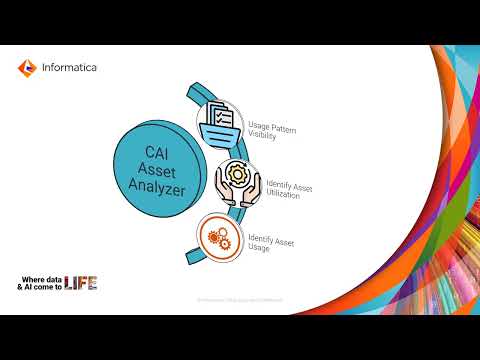
The CAI Process Analyzer within the Assurance Service analyzes Cloud Application Integration assets, such as Processes, Guides, and AI Connections, extracting key design metrics from these assets. This feature enables users to gain insights into Important design time properties such as Publication Status, Log tracing level, and various details, enabling users to better understand and enhance the performance and efficiency of their assets.
Proactively understand the impact of IDMC Major and Standard Cloud Releases on your IDMC environment. With the automated upgrade analysis capability in Assurance Service, you can determine which assets are likely affected by new release features and dependencies, enabling you to:
- Review the list of impacted assets along with the reasons for their characterization, including quick insights to identify any risk of regression or optimization opportunities.
- Build a targeted regression test suite focused on potentially impacted assets by leveraging multiple filters, like Insights, Insight source, and Upgrade type.
- Deploy and execute the test suite in a pre-release environment to ensure compatibility and overall operational readiness.
- Identify and address potential issues before the upgrade, leading to a smoother transition.
Applicable for: CDI, CDI Serverless, ADI, ADI Serverless, CAI
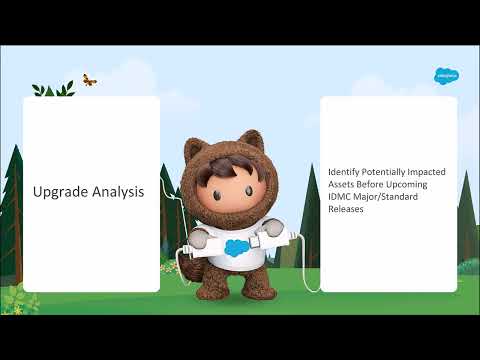

The Recommendations filter within Upgrade Readiness reports allows you to easily identify assets for testing before upgrades.
You can choose assets by applying various insight filters like Behavior changes and needs regression tests, Deprecation-review recommended, Driver upgrades and sanity tests, Duration, Failed runs, General sanity tests, Optimization opportunity, Runs, Throughput and Volume to view asset criteria samples. This way, you can efficiently narrow down the set of assets you want to test before an upgrade, focusing your efforts on the areas most likely to be impacted.
Applicable for: CDI, CDI Serverless, ADI, ADI Serverless, CAI

Ensure the smooth operation of your Cloud Data Integration tasks with the Assurance Service's Task Observer. It analyzes task behavior over the past 90 days, providing detailed insights and visualizations of both overall anomaly trends and specific individual events. Additionally, you can set customized filters and alerts to be notified automatically of specific anomalies you want to track.
Applicable for: CDI, CDI Serverless, ADI, ADI Serverless
The Health Check feature enables you to proactively monitor the health of your Cloud Data Integration (including serverless), Advanced Data Integration (including serverless), and Cloud Application Integration environments.
This easy-to-use feature leverages pre-defined rules to identify common issues that can impact performance and stability, all without complex configuration. Review past health check summaries to track trends and identify areas for improvement. Plus, you can create custom rules tailored to your business needs for even deeper insights into your integration health. Note that User Health Checks are available only for CDI and CAI.



With Metaquery feature, you can gain deeper insights into your Cloud Data Integration (CDI) mapping tasks. It lets you query the IDMC metadata, revealing key properties and configurations. You can also generate detailed reports on specific mapping task attributes and export them as CSV files for further analysis.
Access Metaquery within the MetaInsights page, where features like Sort, Filter, Find, and Download simplify managing and understanding the attributes of your mapping assets.
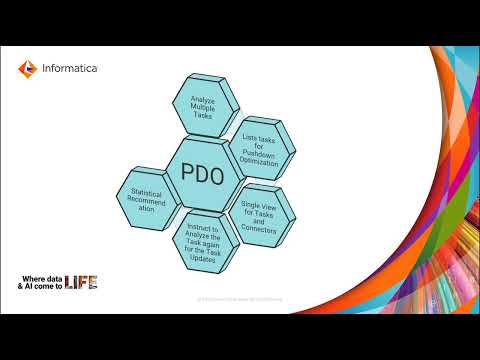
Pushdown Optimization (PDO) helps you fine-tune your Cloud Data Integration tasks for optimal performance by leveraging the processing power of your database engine. This can significantly improve data flow efficiency.
Assurance Service identifies tasks eligible for PDO optimization. This capability is available through the "Pushdown Optimization" section within MetaInsights. Here, you can:
- View all mapping tasks within your organization and trigger analysis for specific tasks to determine their eligibility for PDO.
- Gain detailed insights on the analysis results.
This feature ensures that your data integration tasks run more efficiently by optimizing their execution.

Parameter files are utilized to define and manage dynamic values within tasks that can vary between executions. They essentially act as variables that can be set and adjusted depending on the context of a task's run environment or specific operational needs.
In the Assurance Service, Parameter files can be compared, managed, and uploaded within the service, providing flexibility in how tasks are configured and executed. Specifically, tasks can be associated with different parameter files, and these files can be inspected for accuracy and completeness before they are finally deployed in a production or test environment.
With a helpful suite of tools available in Assurance Service, you can streamline your migration from PowerCenter to Informatica Intelligent Data Management Cloud (IDMC).
- Detailed Blueprint of the Workflow: Gain a clear understanding of all PowerCenter workflow and its dependencies upfront, preventing any roadblocks. Generate reports containing critical metadata like fields, data type precision, and connection details. This information empowers you to plan and test your migration for a seamless transition efficiently.
- Mapping Validation: Enhancing reliability and minimizing execution errors by validating the tables and attributes used in the PowerCenter mapping against the IDMC endpoints before mapping executions in the IDMC environment.
Explore resources now!