-
Manage your Success Plans and Engagements, gain key insights into your implementation journey, and collaborate with your CSMsSuccessAccelerate your Purchase to Value by engaging with Informatica for Customer SuccessAll your Engagements at one place
-
A collaborative platform to connect and grow with like-minded Informaticans across the globeCommunitiesConnect and collaborate with Informatica experts and championsHave a question? Start a Discussion and get immediate answers you are looking forCustomer-organized groups that meet online and in-person. Join today to network, share ideas, and get tips on how to get the most out of Informatica
-
Troubleshooting documents, product guides, how to videos, best practices, and moreKnowledge CenterOne-stop self-service portal for solutions, FAQs, Whitepapers, How Tos, Videos, and moreVideo channel for step-by-step instructions to use our products, best practices, troubleshooting tips, and much moreInformation library of the latest product documents
-
Rich resources to help you leverage full capabilities of our productsLearnRole-based training programs for the best ROIGet certified on Informatica products. Free, Foundation, or ProfessionalFree and unlimited modules based on your expertise level and journeySelf-guided, intuitive experience platform for outcome-focused product capabilities and use cases
-
Library of content to help you leverage the best of Informatica productsResourcesMost popular webinars on product architecture, best practices, and moreProduct Availability Matrix statements of Informatica productsMonthly support newsletterInformatica Support Guide and Statements, Quick Start Guides, and Cloud Product Description ScheduleEnd of Life statements of Informatica productsMonitor the status of your Informatica services across regions
- Data Loader
- How to Videos
Load Data
Load billions of rows in minutes with free Informatica Data Loader
New to Data Loader? If you look forward to loading data to the cloud, here is a collection of how-to videos to help you understand Informatica's Data Loader capabilities and services.
Learn how to create a data loader task to move data from your source to your cloud data warehouse by configuring source and target connections, setting up mappings and schedules, and ensuring secure, accurate data transfer.
Learn how to monitor the tasks you run by tracking their progress and status in real time, reviewing detailed logs and error messages, analyzing performance metrics, and using alerts to quickly identify and resolve issues to ensure smooth and reliable task execution.
Learn how to set up tasks for incremental data loading by capturing changes, filtering new or updated records, scheduling regular loads, and ensuring efficient data updates to your cloud data warehouse.
Learn how to run data loader tasks on a schedule by configuring task triggers, setting the frequency and timing of executions, managing dependencies between tasks, and monitoring scheduled runs to ensure timely and automated data movement without manual intervention.
Learn how to invite colleagues by creating user accounts or granting access permissions, allowing them to log in, collaborate, and independently create and manage data loader tasks, which enhances teamwork and streamlines data integration efforts.
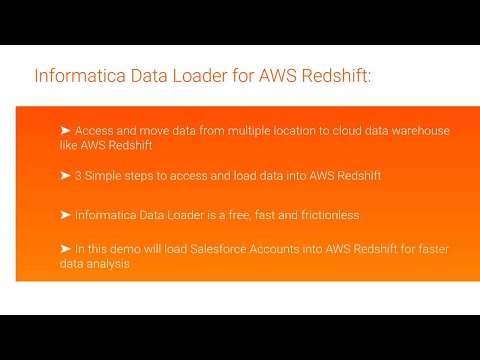
Learn how to load your data into Amazon Redshift using AWS Partner Integration in 3 simple steps:
- connect your data source to the integration platform
- configure the data mapping and transformation settings
- initiate and monitor the data load process
Load data into Azure quickly and easily with the new Informatica Data Loader. This free, fast, and user-friendly tool lets you connect to multiple data sources, configure mappings without coding, and efficiently move data into your Azure environment - streamlining data integration with minimal effort and cost.
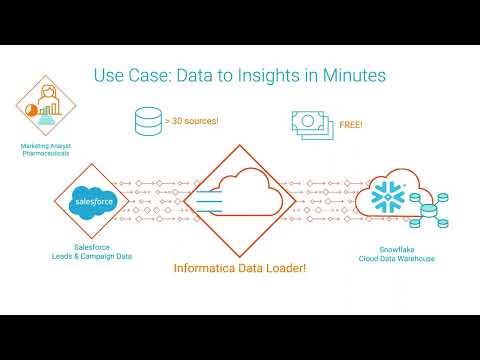
Learn how to use Data Loader’s cloud-native, self-service wizard to move your data to Snowflake in 3 simple steps:
- connect your source data to the wizard
- onfigure mappings and any necessary transformations through an intuitive interface
- start the data load and monitor its progress
Learn how to load practically any data into Google BigQuery at high speed and volume in 3 simple steps:
- connect your diverse data sources seamlessly
- configure data mappings and apply transformations as needed
- execute and monitor the bulk data load
Learn how to use Data Loader’s cloud-native, self-service wizard to move your data to Delta Lake on Databricks in 3 simple steps:
- connect your source data to the wizard with easy authentication
- configure data mappings and apply any necessary transformations through the intuitive interface
- initiate the data load and monitor progress in real time